iMessage sticker maker
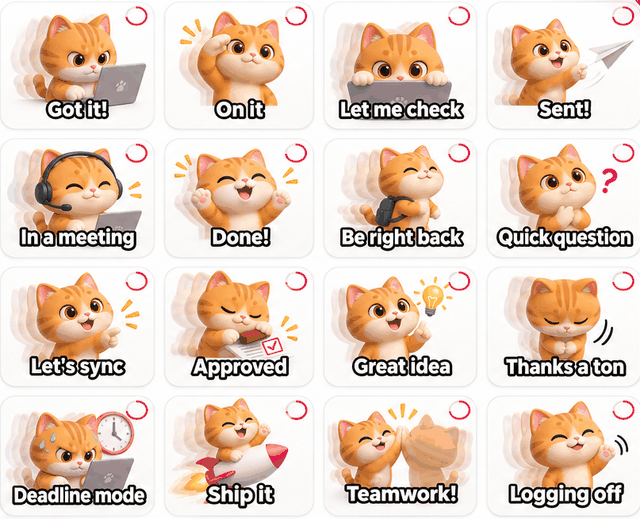
Make 16 animated stickers of yourself or your pet and export them at 408×408 — a size that looks sharp in iMessage.
Start with a photo or a description
- Character
- Theme
- Pack
Pick a style
Free without an account: 1 character and 1 preview. Sign up for more.
Pick a style, confirm your character, then choose a theme of 16 captions.
What a pack looks like
How it works
Add a photo or describe a character
Use a photo of yourself or your pet, or write a short description like “a ginger cat with round glasses”. Pick Chibi 3D, Flat cartoon or Pixel.
Confirm your character
Huatua draws one character sheet in about 25 seconds. Happy with it? Lock it in — or try again once.
Pick a theme, get 16 stickers
Choose one of 6 themes with 16 short captions (edit any of them). The first 4 animate for free; unlock the rest for 12 credits.
Huatua is an iMessage sticker maker that turns one photo into 16 animated, captioned stickers sized for iMessage.
How do I use them in iMessage?
Export the iMessage set: every sticker comes as a 408×408 animated GIF. Save them to your phone and send them in Messages like any GIF. Huatua doesn't publish an App Store sticker app for you.
Same character, every reply
All 16 stickers start from the one character you confirmed, so the whole set looks consistent in a conversation.